> ## Documentation Index
> Fetch the complete documentation index at: https://about.sendforsign.com/llms.txt
> Use this file to discover all available pages before exploring further.
# Contract List
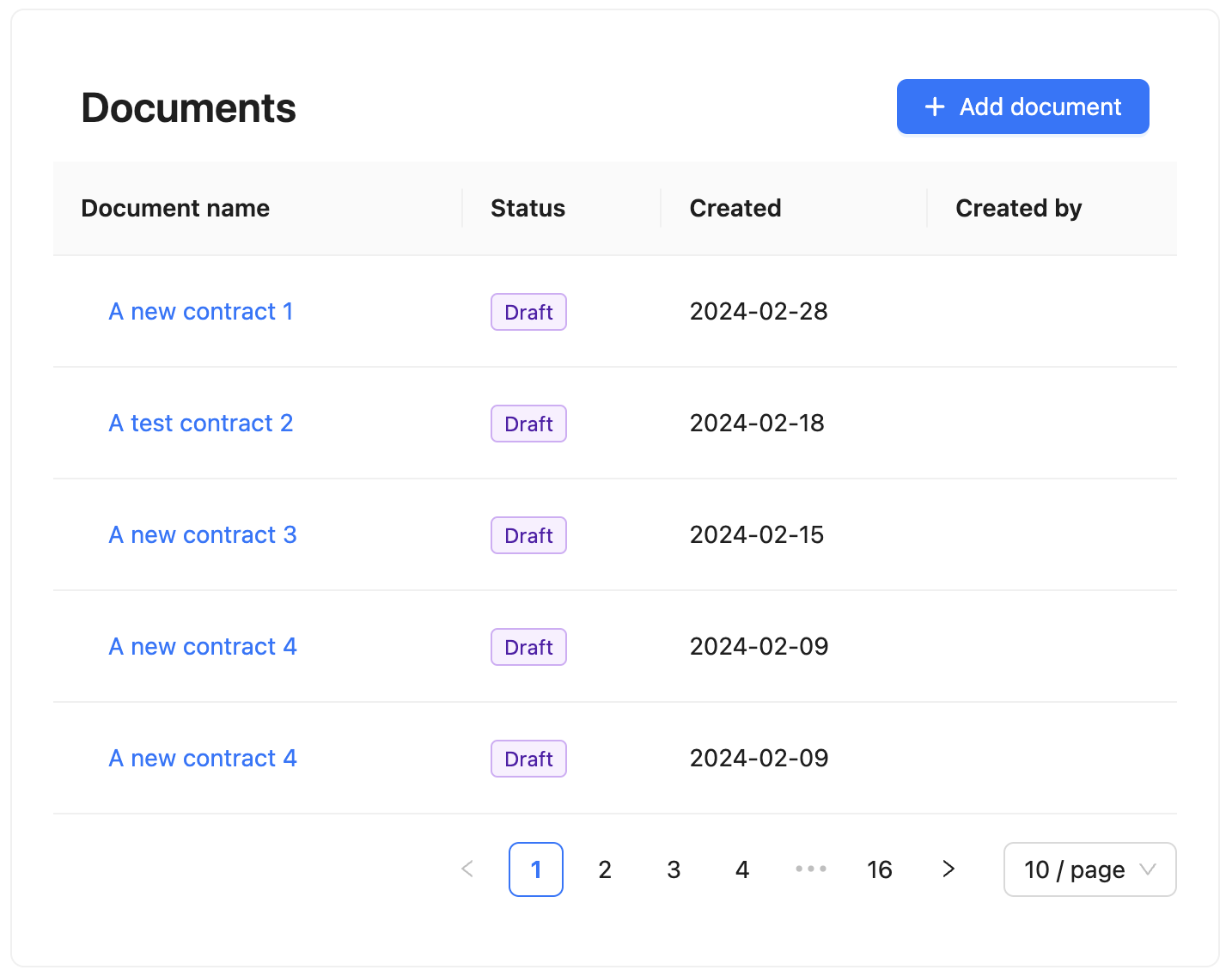
The `Contract List` component is a React component that renders the list of contracts created by a specific
client (clientKey). This component is integrated with the `Contract Editor` component, allowing users to
open existing contracts and create new ones via the `Contract List` component.
### Preview
 ## Usage
First, install [Sendforsign components.](/sdk/introsdk#installation)
After that:
```typescript App.tsx theme={null}
import { ContractList } from 'sendforsign';
```
## Props
| Prop | Type | Default | Description |
| ----------- | --------- | ------- | ----------------------------------------------------------------------------------------------------------------------------------------------------------------------------- |
| `apiKey` | `string` | | Use only for testing purposes. API key for your platform. |
| `clientKey` | `string` | | Use only for testing purposes. Client key for the account that is using the infrastructure. |
| `token` | `string` | | Client token refers to the client that is using the infrastructure. Learn more about client tokens [here](/api-reference/implementation_server#generate-client-tokens). |
| `userKey` | `string` | | User key for the user who is creating a contract. |
| `isModal` | `boolean` | `true` | If `false`, every click on the table row will save the contractKey to local storage. If `true`, a click on the table row will open a modal window with the contract rendered. |
## Usage
First, install [Sendforsign components.](/sdk/introsdk#installation)
After that:
```typescript App.tsx theme={null}
import { ContractList } from 'sendforsign';
```
## Props
| Prop | Type | Default | Description |
| ----------- | --------- | ------- | ----------------------------------------------------------------------------------------------------------------------------------------------------------------------------- |
| `apiKey` | `string` | | Use only for testing purposes. API key for your platform. |
| `clientKey` | `string` | | Use only for testing purposes. Client key for the account that is using the infrastructure. |
| `token` | `string` | | Client token refers to the client that is using the infrastructure. Learn more about client tokens [here](/api-reference/implementation_server#generate-client-tokens). |
| `userKey` | `string` | | User key for the user who is creating a contract. |
| `isModal` | `boolean` | `true` | If `false`, every click on the table row will save the contractKey to local storage. If `true`, a click on the table row will open a modal window with the contract rendered. |